
One easy win in your business is to turn the traditional business into digital marketing. No matter what is your business and no matter when you start it, work toward online business. So, people ware your company easily and beyond it increase your sale. The online business lets your company can compare with its competitors better than the traditional advertising methods and save your budget. To take advantage of online business opportunities, you must design a corporate website. However, there are other ways such as social media but designing an attractive creative website is the most commonly useful way for this issue. Most people want to know about the characters and the price of a corporate website and how they can design it. In this regard, we give you a brief overview of the specifications of a professional corporate website. After reading this article, you can compare different services of web designing companies and select the best one. In addition, you can compare the price of designing different types of corporate websites from Chidma Agency. The expert team of Chidma Agency are ready to help you for designing a corporate website with their golden experience in web designing and digital marketing. ➡ A podcast of this article has been provided for your listening pleasure: [lwptoc] What Are A Corporate Website And Its Importance? Patently, corporate websites are appropriate for companies and organs. No matter you own a small beginner company or you are managing an extended international company with various branches and long stories, no matter whether your company is a governmental company or a nonprofit one, you need to build a corporate website for being advanced. After designing a corporate website People can easily aware of your company and its products and services. In addition, you can easily manage your organization including the sale information, customer data, staff information, etc. for this issue your corporate website must be included specifications, hence if you keep reading, we will cover all of them. The Specifications Of A Corporate Website What should be included in a corporate website? for answering this question you must identify your goal in designing a website. Ask yourself “why do you want to have a website?” the answer to this question determines the important specifications that you need to design a corporate website. The important goals of most companies for designing a website are branding and growing their fame, reflecting the general perspective of the company and taking advantage of digital marketing strategies. So, in this part, based on the above goals, we tell you the important options that a corporate website must be had to get the best revenue and output. If you have another special objective for your business and need specific options for your corporate website, our expert web design team in Chidma Agency are ready to help you. For this purpose, click here. 1- Select A Simple Beautiful Template For Your Corporate Website And Avoid Complex Design. A simple formal template with a beautiful and user-friendly design, makes confidence feeling in your clients. Hence, Select a formal font and design for your corporate website. you can find more than 100 corporate templates for your website designed by the professional team of Chidma Agency. Most of these templates are free-cost with golden services. Click here to see them and their price list. 2- Adding Your Contact Information On The Home Page However, your corporate website must have a specific page for communication with customers, it is better that you put your content information on the home page too. It is usually at foot of the home page. 3- Say About Your Company Briefly On The Home Page People want to know about your company when entering your website. It is a good idea to introduce your organization briefly on the home page and then refer customers to the “about us” page for more information. 4- Adding An “About Us” Page To Introduce Your Company And Its Activities Completely. It is one of the fundamental parts of your website. people usually are interested to hear about the story of your business, how you start it and its history. In addition, they want to be familiar whit your staff and different part of your company. Sufficient information about your organization helps them to trust your company. 5- Adding A “Contact Us” Page To Communicate With Your Customers You must make sure your customers can contact you easily. You must prepare different ways for this purpose including fax number, telephone number, email address, postal address and other ways such as the address of your pages in social media (their links), etc. 6- Specify A Page To Introduce Your Services And Products However, the “home page”, “contact with us” and “about us” are the obligatory parts of a corporate website but remember that the main objective of designing a website is introducing the products and services of a company. Hence one of the important specifications of a corporate website is putting the information of the company in the other menus such as products, services, projects, certifications and licenses, customers, common questions, a gallery of images, articles, etc. Creating enough data about your company is critical for your success because if your viewers can not find appropriate information about your company, they cannot trust you. 7- Specify A Page For Your Work Samples It is very attractive for customers that can see some work samples of your company. For example, if your company work in web designing, your clients want to see some of the ended projects of your company. 8- Adding Links To Social Media Networks In essence, most of your customers there are on social media, so, if you can be active on these social networks, you can gain more customers. Hence, try to set up pages on them and links these pages together and to your website. If you have any questions about it, we suggest you read our article about “website vs social media”. 9-

16 Best CMS Website Design Software in 2024
Websites are the identity and future of organizations and Companies. If a website is designed well, it can have a huge effect on online marketing, because it causes your online presence to be highlighted and hence you can gain a lot of income and benefit. Web designers have to be active and updated against the changes in web design technology. So, using new technologies in web designing is necessary for them. What is the simplest way to design a web page? Can a beginner design a website? Do you need coding for web design? There 2 basic ways for designing a website: design based on coding knowledge and design without any need for it. Designing a website based on the CMS is one of the easiest ways that help you to design your website without coding knowledge. ➡ A podcast of this article has been provided for your listening pleasure: [lwptoc] What is CMS? CMS is an application that helps you to create, edit and manage your website easily. On other hand, CMS is used for storing and retrieval of your information. What are the Best CMS Applications and Software Tools for Designing a Website? Different software tools have various advantages and disadvantages. So, you must choose the best application depending on your needs and budget. So, if you are a beginner in the field of web designing and you want to know what is best for you, you must pay attention to your goals. A specific application and software cannot be responsive to your needs. So, maybe you have to use different software tools. Therefore, the best way is to try the different applications and select the best one. In this article, we collected 16 best CMS software tools that are appropriate for different purposes from weblogs to eCommerce websites. So, join us to know more about it. The Important Tips When Selecting CMS Software. Before we dive into the world of CMS software tools, we will speak about some of the important tips that you must be considered about them. Price: every CMS has its cost. Some of them are free but you must pay for hosting. Sometimes, you must buy the CMS application from a company. Supporting and the user experience: some of the tools are free but don’t have any support after designing your website by them. So, before buying every application you must be sure about its after buying the supporting package. Personalization: sometimes you must design your unique specific website. It can help you to be more impact on your viewers. Easy for use: your application must be easy and you use its simplicity. Security: Some CMA software tools support the security of your website, but some of them do not. So, pay attention to this point before starting to design your website. In this part, we want to present a list of some CMA software tools. By using this information, you can select the best. 1. WordPress WordPress is one of the most famous platforms for designing a website in the world. More than 37% of websites are designed by this platform. It was built for designing weblogs at the first, but today everyone can use it for designing different types of websites from eCommerce websites to NGO websites. Some of the advantages of using this platform are: . It is free. . You can find a lot of templates according to this platform. . You can improve your website by adding more than 55000 extensions. . The Woocommerce extension is very popular among eCommerce and shopping websites. 2. Drupal Drupal is another popular free platform among web designers. Because this platform has a flexible classification system it’s so popular for designing websites with extra content. 3. Joomla it is another free famous CMS platform after WordPress and Drupal. You can find a lot of appropriate templates for this platform. 4. Magento It is a free platform for eCommerce websites. One of the most important advantages of Magento is its high security. working with Magento needs to knowledge about web designing. So, it’s not appropriate for beginners and amateur designers. 5. HubSpot CMS It is a perfect CMs tool for all marketing and business that are following communication with their customers. Some of its advantages are: . Internal A/B test for improving your content. . SEO Comments to improve your ranking on Google . Having security support 6. Kentico There are two different products in this company: Kontent – CMS and Xperience– CMS. Kontent – CMS is free at the first but if you need to use pecuniary options, it may be so expensive. 7. Squarespace This platform is appropriate for designing a weblog or something like that. so, if you want to design a more flexible and perfect website, you must select other software applications. If you need to know more about this platform, we suggest you read Squarespace vs WordPress. The cost of using this application is from 7 to 16 $ per month. 8. dotCMS It is another free CMS platform for designing various websites from weblogs to eCommerce. 9. Zephyr This platform is working on a cloudy host and is specified for use by agencies. So, others cannot use this application to design their website. 10. Canvas CMS It is a CMS web designing platform based on a cloudy host that has a Drag-Drop designing system. you can design a specific website with this software. If you are an expert user, you can build a dynamic database inside CMS by using Canvas-CMS. 11. Grav This free platform is flat-file. It means that there is not any need for a database, instead, you can search your content from text documents. So, it works easily and you must only upload your files. 12. Craft CMS it is another free CMS software that let you design your specific website using this application. you can build your appearance by using Twig templates. 13. Sitefinity it is the perfect software for designing a marketing website with

Best Host for Your Shopping Website|10 Pro Tips That You Must Know
What’s the best type of host for your shopping website? If you have a marketing business and you plan to design a website for your online store, you have to rent a befitting host. So, join us in this article to find out pro tips that you must take note of them before selecting a host for your shopping website. There are four basic types of hosting and you must rent one of them. How? Don’t worry! The Chidma Agency presents all types of hosting but the important notice is which one is appropriate for your shopping website. Different types of hosting cause the clients to get confused and make wrong decisions that will harm their websites. If you don’t know about the different types of hosts, we suggest reading our other related articles by clicking here or contact with our expert counsellor. But if you have enough information about types of hosting and servers, in this article you will find pro tips that you must know for selecting among the different hosting services. So, join us to know more and whenever you need our expert counsellors in Chidma Agency are here to help you in this purpose. ➡ A podcast of this article has been provided for your listening pleasure: [lwptoc] 1. Shop Hosting Has To Accord With WooCommerce In essence, online stores that are designed by WordPress, usually use WooCommerce. Hence, for guaranteeing the immunity and high loading speed of your shopping website, your selected host server has to agree with WooCommerce. If you don’t know about WooCommerce, click here to read our article about it. All hosts that presented by Chidma Agency The company has this ability. If you have any questions, our counsellors in the Chidma Agency can help you. 2. The Ability To Rise A Shopping Host Along the time, your online store is growing up and its traffic will be increased. So, your orders, staff, and products will be increased. Hence, you must select a host which can rise easily. But what is the meaning of rising in a hosting? It means that the host can answer your requests and accord to them, it must be able to increase its bandwidth automatically. In this situation uploading and downloading will be done quickly, especially images. Also, you can store more data. Certainly, you must find a host with the ability to develop especially its storage space. 3. Your Host Must Agree With Your Shopping Website. If you are familiar with coding and editing your programming files, so, you need a type of host that you can easily edit your files by using its editor. For example, sometimes you need to change the PHP virgin of your host to accord it with all plugins. In addition, take stock in the ability to back up and transfer your information and data from one host to another one. 4. Select a Host With the High Loading Speed Needless to say, the type of host influences the loading speed of your website. Because of the importance of loading speed on shopping websites, selecting an appropriate type of host is very critical for your online business. In essence, if the speed of your website gets low, you will lose your traffic. The average loading speed of a website must be about 3 seconds, otherwise, users will leave your page. So, if you select a common host type, it will harm your busyness, because the loading speed of your website will be very low in this kind of host. Hence, along the way, it will cause problems for your website and you have to change it. Do you know about the CDN? CDN is a system that helps users to connect the nearest server. If you can use it, it will help to increase the traffic to your website. So, consider the ability of the CDN on your host. Another option that you must take stock in it, is Cloudflare. It’s very useful when your users are far from the server and they want to enter your online store. In this situation, Cloudflare will increase the loading speed of your website. hence, while you are selecting a host, consider this ability on it. 5. Selecting a Hosting whit Appropriate Support. When you rent a host, it must be able to resolve any probable problems and answers your requests. In addition, whenever any contingent problem happens, your host service must inform you. 6. Selecting a Hosting with High Immunity. Always heed about hackers. If you don’t secure your online business, hackers will access the information of your website and its users. In this situation, you will lose a lot of traffic sometimes they never come back. Another important trouble for your online store is attacking by DDoS. A strong host with high immunity can prevent these events, it can detect dangers and attacks and finally, it will frustrate them. In addition. if you active the SSL certification, you can immunize the formation of your users. So، select a host that gives free SSL. You can find it in the hosting services of Chidma Agency. If you need any information about it please click here. 7. Selecting a Host with Automatically The ability to automatically regularly back up is very critical for your online business, especially when you want to change some options on your website. Even sometimes, because of some problems, your website may confront trouble. So, you need a host with a regular backing up. 8. Install a Host That is Accorded with Your Control Panel. If you used WordPress for designing your website, your host must be under Linux. Hence, our expert web designers always advise that don’t use of host under windows with the ability to operate PHP. 9. Select a Host with The Ability to Add New Domains. An appropriate hosting can install different domains. In this situation, you can have several online stores on a specific host. Today most hosts have this
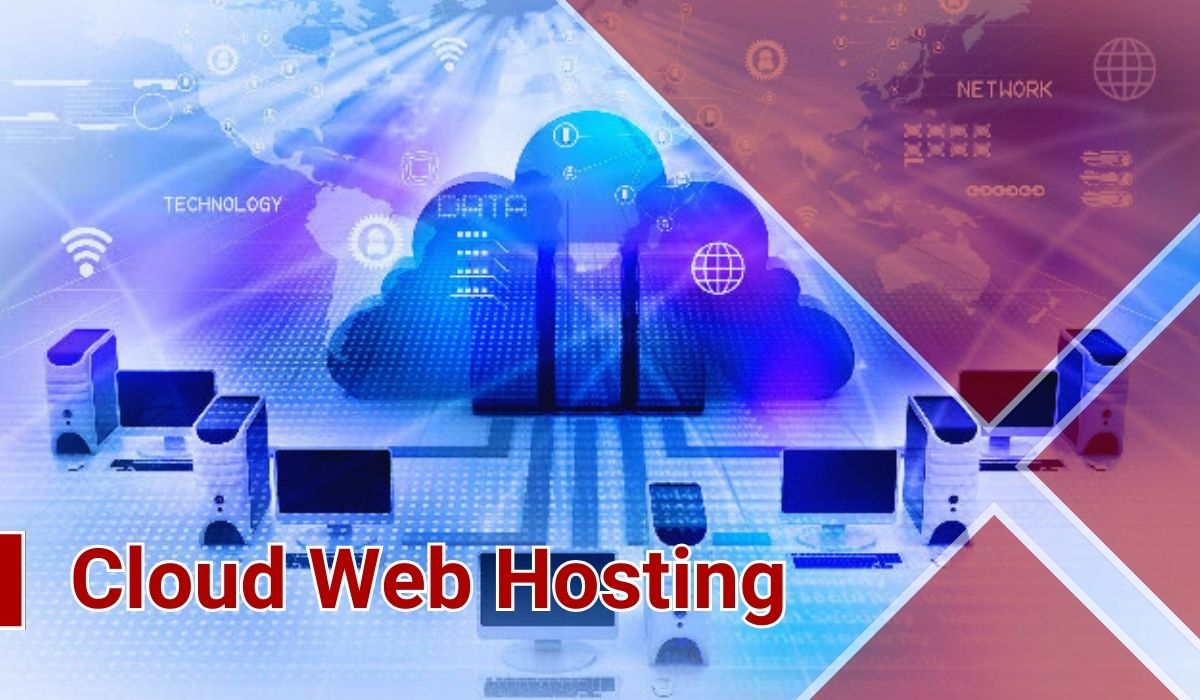
Cloud Web Hosting | Selecting An Appropriate Host for A Small Business | 2024
When you want to turn your small business into an online market by designing a website, you must select a host. But which kind of web hosting is appropriate for your small business? In previse articles, we’ve spoken about web hosting, its importance and its different types. If you are interested in those topics, click here to find a valuable collection of articles in the field of web hosting. One of the best types of web hosting for your small online business is cloud web hosting. Why? In this article, I, as a tired web dinger of Chidma Agency with more than 20 years of golden experience in web designing and hosting, want to show you 5 reasons for this issue. After reading it, you will understand why cloud hosting can be an appropriate host for your small online business. So, keep reading to find out about them. But before diving into the main subject, first we will define some terms. ➡ A podcast of this article has been provided for your listening pleasure: [lwptoc] What Is Website Cloud Hosting? Let me explain it easily, cloud hosting is a kind of server whose physical space is divided into several virtual servers that are so-called virtual machines (VM). So, several networks’ virtual servers are hosting your website. If you want to know more about this kind of hosting and its advantage and disadvantages, please click here. There are two main types of cloud hosting. As you know, when you buy a physical host, you must select between some options such as a shared or dedicated host. It is also true about cloud hosting. If you don’t know the meaning of shared and dedicated hosts, please click here to find out about them. Now let’s get going to understand the meaning of public and private cloud hosting: 1. Public cloud hosting: It is partly like shared hosting, several virtual machines as a network, are shared between different websites and host them. There is a distinction between shared hosting and public cloud hosting. When you buy a public cloud hosting, you use all of the benefits of shared hosting but without any defects of it. 2. Private cloud hosting: it is a kind of cloud hosting that you have your specific server source and there is not any need to share it with others. You will have more control and immunity but it is more expensive than public cloud hosting. selecting between two types of could hosting is depended on your website, the objective of your online business and your budget. Our expert counsellor in Chidma Agency will help you to make the best decision about your small online business before buying a host for your website. Now you got familiar with cloud hosting, let to speak about why cloud hosting can be an appropriate host for your small online business. Come on dive into it. Why a Cloud Hosting Can be An Appropriate Hot for A Small Online Business? Choosing an appropriate host for an online business is depended on various factors such as the website, the objective of an online business, the budget, etc. In this part, I will show you 5 reasons why cloud hosting can be appropriate for your small online business. Lifting Your Small Online Business In Future Along With a Could Web Hosting When you establish a small online business, you imagine it will be big in the future. It is your goal, although, it takes time. However, in the beginning, you prefer to buy a cheaper host for your website, for example, a free or shared hosting. But you will need improved hosting along with growing your online business. The cost of changing your host may be high in the future. So, if your budget is sufficient, we suggest buying cloud hosting from the beginning. It is cheaper than dedicated hosting but has its benefits. The High Immunity of the Cloud Hosting However, you own a small online business but if you want to advance in the future, you need your customers to trust you. For this purpose, they must make sure that you can protect their privet information including their address, cellphone number, account information, etc. if your small online business cannot guarantee their immunity, they never trust you. It will be trouble. So, however, some kind of web hosting is cheaper than cloud hosting but you must be considered the immunity of your website. cloud hosting is one of the most secure types of hosting. Backing Up and Recovering Your Data Automatically By Cloud Hosting However, you may not contact with problems in your small online business, but your web hosting must be sure to recover data and information on your website. Despite different problems, if your web hosting doesn’t prepare a backup from your data automatically, you have to supply of backup manually. In this situation, cloud hosting manages to do it easily. Also, the provider of cloud web hosting can manage all of the things inside the website including backing up and management of the server. Simple Merging of Programs A website can be so strong to adapt to special needs by merging various programs. When someone has a digital marketing website, he/she is usually interested to uses a shopping cart program on his/her website. It will facilitate user experience by using WooCommerce. Also, the owner of a small online business may want to use a calendar program on the owner’s website to people can see future events. Cloud hosting lets different programs merge easily. in this situation your website can answer the requests of customers in the best way. It will increase the user experience (UX) index of your website. Advanced Storage Cloud hosting simplifies the use of properties of advanced storage. Other types of hosting need webmasters to optimize the websites, but cloud hosting does it automatically. For example, the high speed of your website is one of the advanced options when you

Designing Your Website: Website Builders VS WordPress |Which One is Better? | 2024
If you want to build your digital marketing and perform your business online, one easy win is designing a website. This could be things like corporate, eCommerce, personal, etc. websites. For this purpose, there are three ways; you can have a professional web designer build a specific website for your business. It is a perfect but very expensive and time-consuming course. The second way is designing your website by using CMS tools such as WordPress or Joomla. The last way is using website builders. If you need to pick up new skills or brush up on your existing knowledge about CMS, please click here to find out a lot of golden educational sources. If you have a small business, designing a specific website from scratch by a professional web designer is not an economic policy. So, you must select between CMS tools or website builders. But which one is better for your business? Please take note that we select WordPress as the famous tool to design CMS templates. In this article, we want to give a brief overview of the advantage and disadvantages of CMS tools and website builders. After reading it, you can make a correct decision and select the best one. So, join us in this way. ➡ A podcast of this article has been provided for your listening pleasure: [lwptoc] What is The WordPress? WordPress is a famous CMS tool for designing a website. You can download it from its website and install it on your host. There are two versions of WordPress and one of them is free-cost. You can find a lot of various templates for different businesses from personal to eCommerce. Most of these templates are free-cost. You can add your pages to a template or edit them based on your taste. In the free version of WordPress, the address of your website is a subdomain of wordpress.com. If you want to have your specific address, you have to buy the paid version. For designing a website by WordPress, you need a little knowledge of computer programing and coding. If you need to build your WordPress skills, click here to find a lot of valuable articles that are written by our expert web designers in Chidma company. What is A Website Builder? Some web designing companies that created tools for designing websites easily are so-called website builders. You can easily design your website without any need for professional knowledge about web design. It is possible by a visual platform that you can design your website just by dragging and dropping. What is The Difference Between WordPress and Website Builders? If you want to select the best policy for your online business, you must know the difference between WordPress and website builders. If you keep reading, we will cover this issue. After that, you can make the best decision. The visual editor of the website builder vs the Form editor of the WordPress website builders, you construct your website with a visual user interface. You can easily make your pages by dragging and dropping different elements. But CMS tools such as WordPress don’t have a visual user interface and you have to edit your pages by a form. By changing the options of this form, you can edit your page. However, you may find a difference between your changes on the form and the visual of your page. 1. The Continuous Expenses Of The Website Builders When you design your website with WordPress, however, you have to pay for buying a host and domain but you can build your website with free cost templates. In addition, most of the plugins and extensions in WordPress are free cost too. But when you design your website with a website builder, you must pay for the renewal of your services annually. Please take note that it includes the annual hiking of the prices. 2. To Be A Landlord In WordPress Or Lessee In The Website Builder The control and management of your website on WordPress have completely entrusted you and you access to your database. But it is different for website builders. When you design your website with a website builder, you cannot access the source of your codes and your database. Also, all of your data are hosted on the host of the web builder company and cannot access them. It will make a lot of problems when you want to change your platform. If you construct your website with a website builder, in this situation you have to build your online business from scratch. 3. The Flexibility Of The WordPress: Make Your Website Based On Your Needs WordPress has a lot of plugins and extensions that you can add your special requests to your website. Most WordPress plugins and extensions are free of cost. However, adding and setup them up may be difficult for a beginner. On the other hand, website builders cannot use WordPress plugins. However, some website builder companies create a few specific extensions for their users and you can set up them very easily. However, you must pay for buying them. 4. What is More Secure: The WordPress Or The Website Builder More than 42% of websites in the world are designed by WordPress. So, this old professional company with its expert staff try to grow the security of its templates by adding Immunity plugins and updating them. But you cannot have a transparent view of the security of website builders. 5. Get Your Website Up To Date With WordPress Because WordPress is an old creditable company with a lot of clients worldwide, this company tries to update its plugins and add new ones based on the needs of its clients. So, when you design your website with WordPress, you can move with technology. But most website builders are not as famous as WordPress and they are not as updated as WordPress. 6. Design A Website Without Any Cost for Hosting By A Website Builder For

Important Tips About The Website Domain| Answered Questions|2024
Why the name of a domain is important? Do you prefer to expend time on its selection? If I should tell you briefly, it is important and I investigate that surgically. You may think that when people know your brand, it is not important what is the name of your domain. Because your website is well-known and it has its entrances. But it is not always…. You see, the name of a domain is one of the key parts of your website and it may be causing the advantage or disadvantages. Therefore, you should be careful in the selection of your domain name to avoid any problems in your business. The first thing that the user sees is the URL and the selection of the proper name can attract the users or escape them! Today, conformity between the domain ‘s name and the brand ‘s name is important for SEO. But using the main keyword of your website in the process of selecting the name of the domain, can improve the SEO of your website. The name of the domain is the reference of your brand and this is an opportunity for branding because if a domain nominates properly, it can provide more opportunities for your business. ➡ A podcast of this article has been provided for your listening pleasure: [lwptoc] Reservation Of Domain If you want a name of a domain that expired previously, you can do it by the service of backorder. You can activate this service if the desired name of the domain was expired. So, you can register that name. • Sale Of Special Domains Some companies provide registered special domains and you can buy these domains from them. • Centers Of Revisitation Of Domain Some centers register your domain such as Jocker, etc. Although there is a limitation for some countries. • Is The Registration Of The Domain The Same As Buying That? When you buy a name or domain, you do it through a domain registration agency that manages to book. Most of the time, you buy a domain from a domain registering company and after that, you can manage your website by gaining a host from another company. • Can You Register A Domain Forever? You cannot buy a domain forever, but you can sign a lease contract forever. • How Much is The Cost Of Registering A Domain? The cost of registering a domain is completely depended on the type of domain and the company that you want to buy your domain from it. There are different types of domains with various prices so you must select an appropriate one for your website. if you want to know more details about the price of domains, please click here to find out the price list of the company Chidma. How We Can Transfer A Domain? Every when you need to transfer your domain to another company or person, you must contact your domain registration agency and receive a transfer code (EPP code or authorization or Auth code). By using it, you can transfer your domain to another person. For this purpose, you can connect with our counsellor in Chidma company by clicking here. Does Changing A Domain Have An Impact On SEO? Certainly, changing your domain will affect the SEO of your website. First, it will lessen your ranking. It will be more prominent for the old well-known websites with specific domains and they changed it suddenly. However, do not worry about it! because this diminishing is temporary and after you start your activity with the new domain, you will gain your ranking as soon as possible. However, if changing your domain is not critical for your business, avoid it. It may be better that you try to find an appropriate domain at the first. If you want to know pro tips that you must know before choosing a domain, please click here. However, in the following, we will learn how you can change the domain of your website. How You Can Change The Domain Of Your Website? Before doing anything, firstly you must provide a backup from your website and host. It will be necessary for transferring your information and content to the new host. It is the most important part of changing your domain. After buying a new domain, you must prolong your last domain for one year. It is necessary for saving the SEO and ranking of your website. It means that you must be active on both domains for at least one year. It is depended on the history and life of your website. If the age of your website is two years or more, it is better that you extend this time. The next part is setting up a DNS on your website. As you understand, changing a domain is very difficult and time-consuming, so please do it just because it is critical for your business. The last step is redirecting the old domain to a new one. It is necessary for the websites that were designed by WordPress. After that, you must change your domain on WordPress and your Data Base. It is also necessary to inform Google that you changed your domain. You can do it by Google counsel. In addition, you must change some of the content based on your new domain. Where Can You Buy A Domain? After selecting the name of your domain, you must search “is your name unique or not?” It means that you must be sure your selected name had not been registered by another one. For this purpose, it is enough that you go to the websites of the companies that provide hosts. These companies provide other services like buying a domain. You can find some options on these websites that will help you to be sure about the unique name of your domain. If you don’t have any experience, please read our article about the best hosting companies. Best Tools for Finding The Domain Name names4brands.com is one of

The 15 Types Of Video Content In Digital Marketing With Attractive Video Content Examples in 2024
If you want to take advantage of the magic of video content for growing your business, you need a functional video marketing strategy. But before drawing an efficient road map, you must be familiar with various types of video content in digital marketing. Hence, the expert video marketing team of Chidma agency is going to show you the 15 types of video content along with very attractive examples that help you to draw your inspiration from them. Let’s get going to take a brief overview of different types of video content. ➡ A podcast of this article has been provided for your listening pleasure: [lwptoc] What is The Video Content Definition In Digital Marketing? Video marketing is a service of digital marketing in which you try to advertise your business and brand. Through a short video. There are 15 types of video marketing that you can find out about them in the following. What Are The Different Types Of Video Content In Content Marketing? 1. Demo Version Video Content The demo is short video content that can show the performance of a product or service to viewers. This kind of video content is put at the end of your funnel marketing (if you are interested to know about funnel marketing click here). So, the target of your demo video content is customers that travel most of the buying path and are close to buying. Hence, you have to take note that your demo video has to make sure your customers about their decision and stealthy encourage them to a CTA. Click here to see some demo video examples that are made by the Chidma video marketing agency. 2. Brand Introducing Video Content branding is the critical task of your digital marketing, especially if you own a small business or a start-up. Brand introducing video content can help you in this issue. for making a functional brand introducing video, it must answer the three following questions clearly: • What problems does your business (brand) want to solve? • Who is the audience of your business (brand)? • How your brand can solve the special problems of your customers? You must present this information very attractively and persuade your audience to visit your website. Click here to watch examples of brands introducing video content that is designed by the professional team of the Chidma digital marketing agency. 3. Educational Video Content Educational video content plays an important role in your branding. People always search queries about “how can …” on search engines. You should take advantage of this opportunity and try to aware people of your business by making attractive educational video content. your video must be related to your business. Click here to watch examples and draw your inspiration from them. We suggest to our clients upload their educational videos not only on your website but also on YouTube. 4. Explainer Video Content Explainer video content is a short video that explains a product or service to customers. There are four types of explainer video content: • Live-action video content • Live videos on social media • Animation video content • Whiteboard video content The location of an explainer video content is on your landing page, product page or home page. functional attractive video content can increase the conversion rate of your website by up to 144%!!!! Click here to watch some examples of perfect explainer videos that are made by the expert team of Chidma digital marketing agency. 5. Advertising Video Content The main objective of video content is advertising your brand. the most important benefits of advertising video content are: • Improving the performance of your brand • Increasing the amount of your brand sharing on social media platforms • Brand building • Gaining a good rank from search engines such as Google The best advertising video content is a story video with a stealthy advertisement.so, you must be creative and use trend subjects that are related to your business. Click here to watch creative video advertising examples of Chidma agency. 6. Company Culture Video Content Through a company culture video, you can show your customers the human aspects of your company such as the usual work day of your staff. You can interview them about their amusement in or out of your company. Click here to watch the company culture video of the Chidma digital marketing agency. 7. Live Video Content Live video can involve your audience with your brand at the moment, especially on social media platforms such as Instagram. You can use them for your company statement, Q&A meetings and interviews siting. 8. Webinars and Online Events Video Content Webinars and online events can increase the conversion rate of your website. one of our clients owns a pet food company, click here to see how the expert team of Chidma digital marketing agency could increase its conversion rate with creative webinar video content. 9. Interview Video Content Interview video content is very attractive for people that want to know the viewpoints of others about your business in an interview video. This kind of video content marketing is popular among special groups. So, before making them, you must know the persona of your target audience. 10. Testimonial Video Content When one of your old customers speaks about your business in video content and advice your brand to others, you have testimonial video content. if you can make it actually, people will be attracted to your testimonial video. They like to hear about your brand from old customers. For this purpose, he/she has to speak about the following subjects in your video: • How did he/she find your brand? • Why does he/she prefer your brand to your competitors? 11. Animation and Motion Graphic Video Content Nowadays motion graphic videos are very popular among the audience. For making it you need a script and then an animator converts it into an animation. Click here to see examples
Call-To-Action (CTA) In Web Design: Various Types and Their Functions
A CTA (Call-To-Action) is the critical option in your online business if you want to be a success in digital marketing you have to increase your conversion rate (the rate of converting the viewers to customers) of your website. The CTA perform this duty for you. Our golden experience in digital marketing shows that if you want to take advantage of a CTA, you have to know the various types of CTA. So, join us in this article to be familiar with different types of CTA in digital marketing. ➡ A podcast of this article has been provided for your listening pleasure: [lwptoc] What is The Meaning Of The Term Call-To-Action (CTA) In Digital Marketing and Website Designing? CTA is a short sentence that encourages your viewers to perform your intended action. It could be a thing like signing up for a campaign, buying a product or service, filling in an information form, downloading music or video, etc. A CTA can be a Text hyperlink, Button, Plain text with no link and Pop-Up. The CTA make an emergency feeling in viewers that they think it is better to conform and follow the CTA. So, you can use a CTA for a different purpose. In essence, there are 8 types of CTA that you can find out in the following. The advantages of using CTA are increasing the conversion rate of your website, guiding the target viewers, decreasing the bounce rate, and increasing the selling. if you are interested to know more about the advantage of using the CTA on your website or social media page such as Instagram, YouTube, Facebook, etc. click here and read our valuable article. What Are 8 Different Types Of CTA? Now that you understood the meaning of the call-to-action (CTA) button, we want to know when you can use CTA in your online business. Most of our clients ask us “can we use a CTA button for a special request?” we answer them: yes, of course, you can use the CTA button for every request and gain the best result if you be creative. Hence, in this part, we want to give you a brief overview of everywhere on your website where you can use a CTA button. 1. “Lead Generation” CTA Button Lead generation is one of the important roles of a CTA button to attract customers to your website. A lead is someone that gets interested in your business from your blog or social media and you hope (try) to convert him into a customer. In the digital marketing world, you need to a lead generation CTA to generate leads. When someone clicks on your lead generation CTA, he will be sent to your landing page and in exchange for gaining a special offer (for example a free eBook or something like that) he/she will fill out the information form. In this situation, you can convert a viewer to a lead. The CTA button that handles this process is a lead generation CTA. So, the position of this kind of CTA button on your page is very important because the users must see them easily. 2. “Read more” Button CTA Button when you publish a post on your website, it is not necessary to show it completely. Showing the complete content will occupy a lot of space on your page. it may become confused your viewers, but what is the solution? In this satiation, a “read more” button can help you. It is better that you just type a paragraph of your content. After that, you must design an attractive “read more” CTA button and persuade your viewers to go to the new page for reading it. This policy is very helpful when you want to introduce a new product or service. A “read more” CTA button can help your viewers to gain more details about the interesting product. In essence a “read more” button just want to inform or introduce something to your viewers and attract them to gain more details about it. 3. “Form Submission” Or “Register and Fill Out The Form Button” When your viewers enter your landing page before they are converted to a lead, they must perform two jobs: filling in a form and clicking on a specific CTA button to register their information in your database (they will add to your contact list). This CTA button is so-called a “form submission” button. When your viewers are on this page, they are very close to becoming a lead. So, you must design a very attractive “Form Submission: CTA button. 4. “Content Sharing” CTA Button When presenting content on your website, you can want your viewers to share it with others. In essence, your users start to promote and advertise your business. The content-sharing button can do it for you. By this button, you encourage your viewers to share your content with email or social media networks. This helps you to increase the traffic of your website and its SEO site. 5. “Purchase Button/Close Commitment” CTA After attracting the users to your landing page, you must persuade them to buy your product. In this situation, you must design a specific CTA that focuses on the sale and close commitment. This kind of CAT is the so-called purchase button or close commitment button. you must be very creative in designing this CTA for example suggest using it for a free counselling contact with you or send a ticket. Along with connecting, you can give him enough information and close your sale. 6. “View Product / Special Offer” CTA Sometimes users are attracted to your landing page but they are not sure about buying your product. In this situation, you must present a charming offer to persuade them to buy your product for example a free version, special discount, 50% discount for first shopping and something like that. A special offer button can help you with this purpose. Try to find attractive offers and place this button

150$ E-commerce Websites Design| Last Glamorous Templates 2024
Do you want to go on an online business? You must know the first step is designing a website. But what type of website is appropriate for your business? We are here to help you for selecting a befitting website for your e-commerce. After that, we will design your custom website for 150 $ or present you a lot of free pre-made templates for E-commerce websites design. At the first, if you are not sure about what types of websites are suitable for you, join us to can make a correct decision. Choose an appropriate website for your business. For this purpose, you must be familiar whit different types of websites. ➡ A podcast of this article has been provided for your listening pleasure: [lwptoc] What Are The Basic Types Of Websites? There are two basic types of websites: dynamic and static. You have to choose one of them based on your business and goals. Nowadays, dynamic websites are more popular than statics. Especially for going on e-commerce, you must choose a dynamic website. since we will speak about dynamic websites and the differences between static and dynamic websites. What’s The Meaning Of A Dynamic Website? In such a way that you can understand from its name, your content can be updated on a dynamic website, based on the factors such as time, projects, etc. So, all the websites that have to be updated or should be had a relationship with users, must be designed as a dynamic website. For example, news, education, e-commerce, and all the websites that users must be registered on them are dynamic. Now, you can make a correct decision about the type of your website, hence if you are going on e-commerce, your favourite is designing a dynamic website. Ok, lets our expert web designers inChidma help you to design a dynamic website. For this purpose, join us to know about the different types of dynamic websites by clicking here. But if you want to be sure about your decision, we suggest you keep reading. We will show you the difference between dynamic and static websites and their advantages and disadvantages of them. After that, you can make a decision surely. The Difference Between A Dynamic and A Static Website. However, you cannot understand the difference between a dynamic and static website on your browser but they have a huge effect on the efficiency of your website. A static website is designed by an expert programmer, and it is created from several HTML Pages. These websites have a high uploading speed because they have fewer codes than dynamic websites. Since SEO optimization is easier in a static website than in a dynamic one. The static website seems like an online brochure and must be edited once or twice a year. A negative point about static websites is an amateur person cannot edit them. Since the static website is not a favourite for webmasters, today. On a dynamic website, you can easily change information on the website. The dynamic websites are usually connected to an informational bank (database). The database is an ordered, tidy, logical system for saving information. In addition, a dynamic website has a management panel for changing and updating the website. Imagine you want to design a website for a company. In a part of this website, you have to save the information of employees. You have to change this information during the time or maybe want to make a statistic system based on the staff information. For example, you want to have a list of married employees. For this purpose, you need a dynamic website. In the following, we will speak about the advantage and disadvantages of dynamic websites and after that, you can easily select between static or dynamic websites. no matter what is your choice, we will help you to design both of them. The worth thing is you can make a correct decision. So, keep reading! The Advantage Of A Dynamic Website. 1. A Dynamic Website Will Be Easier Updated. In dynamic websites, when you update an application, it will be performed on all pages. For example, when you want to change the navigation of your website, you need to update the navigation information on its related file. After that, it will be updated on all of the pages of your website automatically. But in a static website, it’s different. In the static website, you must change and update every page separately. It’s very hard and boring work with a lot of mistakes. 2. Flexible Data On Dynamic Websites. In dynamic websites, you have a database. you can save the content and different parts of the website on your database. The benefit of a database is you can easily find various content and edit them. In this situation, the data of a website are very flexible and you can easily search, classify, upload, and support them. 3. Easily Updating Content On A Dynamic Website when you have a dynamic website, you can easily add a new content, article, image, etc. to your website without the need to know HTML. It’s good news for people that don’t have enough skills for web designing, they can update the content of their website and add new things to it by using the CMS Dynamics website. In dynamic websites, the various parts are separated together, so, for creating a new page you don’t need to know about HTML language. So, you can just focus on the quality of your content and your dynamic website will place your new article on an appropriate part of it. But in a static website, for adding new content, your must have enough information about HTML language or engage someone for doing it. 4. Improving The User Experience Of Your Website Because Designing A Dynamic Website. However, a dynamic website has a lower uploading speed than a static website, but it is more efficient in user experience. They can make a dynamic

What Are The 11 Digital Marketing Strategies for Improving Small Business In 2024?
Digital marketing strategies is the best policy for improving and progressing your small businesses. People can aware of you if you select the correct functional strategy for your small business. Hence, the present article wants to show you how you can improve your small business, step by step, with digital marketing services. So, if you join us, we will cover this issue and more. Let’s get going. ➡ A podcast of this article has been provided for your listening pleasure: [lwptoc] 11 Digital Marketing Strategies for Small Businesses In this part, we are going to speak with you about the 11 golden digital marketing strategies that you must do to advance your small business. Please take note of the priorities of these steps. We design this process based on our experience in digital marketing. If you have any question about this issue or if you find out your small business needs a different policy, the expert team of Chidma company are ready to help you through its free cost counselling service. For this purpose, please click here. 1. Detecting The Target Audience Of Your Small Business this step is the heart of your digital marketing. If you do any effort without regard to detecting your target audience, you will fritter your time and budget. Hence, please take note of it. You must know who is the audience of your business. Men or women? Youngs or old people? You must classify them into different groups based on their age, sexuality, gender, nationality, religion and everything that may have an impact on the tastes of your audiences. For example, if you own a small business in the niche of alcoholic beverages, your target audience is not Islamic countries. If you don’t take note of it at the first, the others digital marketing services don’t give you a good result. The expert counsellor team of Chidma company are ready to help you for detecting your target audience if you click here. 2. Programing for Your Digital Marketing To Improve Your Small Business After you detect your target audience, you need a functional plan for your digital marketing path. You must have a program at every step and determine your goals. It helps you to make a correct decision about the best digital marketing services in every step of improving your small business. Designing this plan needs deep experience and knowledge. Hence, the professional digital marketing team of Chidma company can help you with this issue. you can see examples of our digital marketing strategies for various small businesses by clicking here. You can easily contact us through the right-side chat box. 3. Designing A Responsive Website for Your Online Small Business Needless to say, people are trying to search for their needs with their smart cellphones in their free time when they are in a car, at home, at work, park, etc. so, they will find you easily if you have a responsive (mobile friendly) website. so, more people become aware of your small business if you have a responsive website. If you are not familiar with the term responsive websites and their importance in SEO sites and digital marketing, please click here. In addition, you can see examples of responsive websites that are designed by Chidma company, if you click here. 4. Taking Note Of The SEO Service Of Digital Marketing SEO (search engine optimization) is the most important strategy of digital marketing. People will aware of you if they can see your small business on the first page of search engines such as Google. So, you must optimize your online business for search engines. The world of SEO is very important, so we couldn’t dive into this issue here, but suggest you to click here see a valuable collection of educational articles, videos, etc. that the expert SEO team of Chidma company prepare for you. You can compare with the big competitors if you have a perfect SEO site strategy. Contact us to help your small business with this issue. 5. Taking Advantage Of Social Marketing for Your Small Business Everyone is on social media but engages in it for digital marketing purposes, and needs deep knowledge, skills and experience. Because of the importance of social media in the success of your small business, the professional social marketing team of Chidma company create a valuable collection about social marketing. You can find a lot of various topics (such as how you can advertise your online business on Instagram, which businesses can take advantage of Facebook marketing? Become reach on YouTube, etc.). please click here to find this free valuable collection. 6. Don’t Ignore The Impact Of Content Marketing On Improving Your Small Business Contact marketing is a powerful strategy of digital marketing which especially has a positive impact on the success of small businesses. You must consider your audience is interested in which topics and try to create unique content in this issue. the expert content marketing team of Chidma company have a golden experience with this strategy. Click here to confer with them about your small business. 7. Email Marketing: Strong Digital Marketing Strategy for Small Businesses Most skilled counsellors believe that email marketing is a golden strategy in digital marketing that has a huge impact on the progress of small businesses with an economic cost. But designing a functional attractive email campaign is a professional task that you must outsource to an expert team. Click here to see examples of the golden results that are achieved from the email marketing campaigns of Chidma company. 8. Working Towards CRO To Improve Your Small Businesses The conversion rate of your digital marketing strategy is the main factor that you must be concerned about it. If you don’t know about this term, the conversion rate is the rate of converting your viewers to customers. Hence one of the critical tasks of digital marketing agencies is conversion rate optimization (CRO). Click here to know more

